
Real-time HR dashboards, built for every decision-making moment
Visualize your workforce data, from turnover to predictive metrics to engagement scores, on dashboards that update automatically and are ready to share with leaders, managers, and the board.
Schedule demo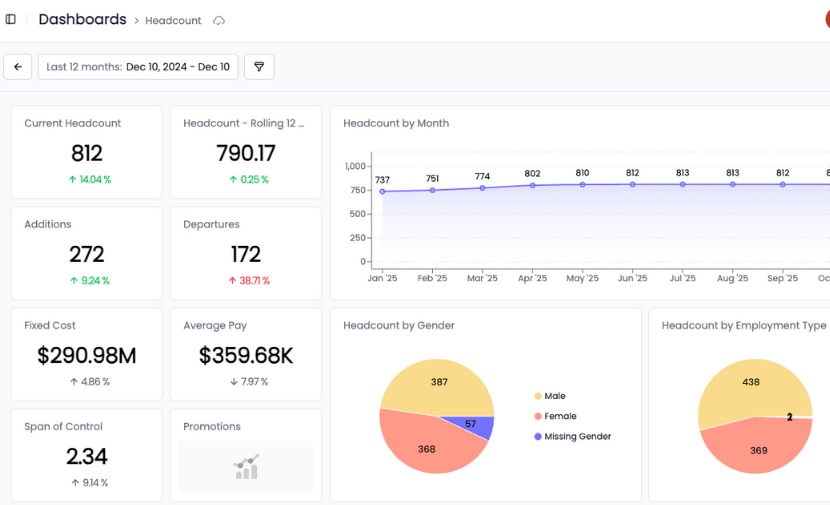
Trusted by HR leaders at:





.png)
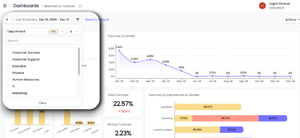
Visualize any HRBench metric in a board-ready dashboard
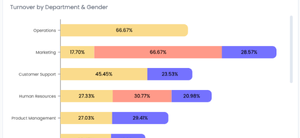
Build dashboards using any of HRBench’s 45+ core metrics, including turnover, span of control, and net hire ratio.
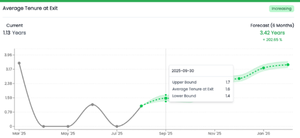
You can add engagement scores and survey comments, open requisitions and role gaps, predictive forecasts and trends. Then, add benchmark deltas vs. peer orgs to tell a complete story.
If it’s in HRBench, it’s ready for your dashboards.
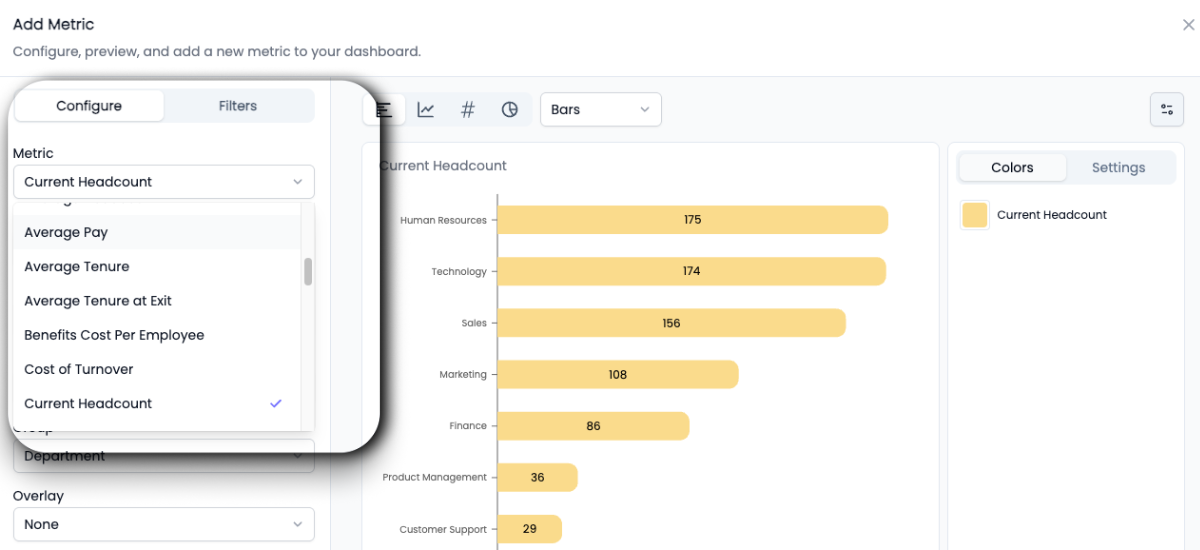 Schedule a demo
Go from overview to insight in a few clicks with real-time updates
Your dashboards always reflect the latest data across all connected systems.
No downloads. No manual refresh. Just open the dashboard and present with confidence.
Whether you’re preparing for a board meeting, an exec review, or a weekly team sync, your numbers are always up to date.
 Schedule a demo
Custom dashboards for every stakeholder
HRBench lets you build dashboards for executives who want trends and forecasts, managers who need team-level metrics, HRBPs who track engagement and turnover, and finance partners who care about cost and headcount.
No one-size-fits-all views. Just tailored reporting that’s relevant and accessible.
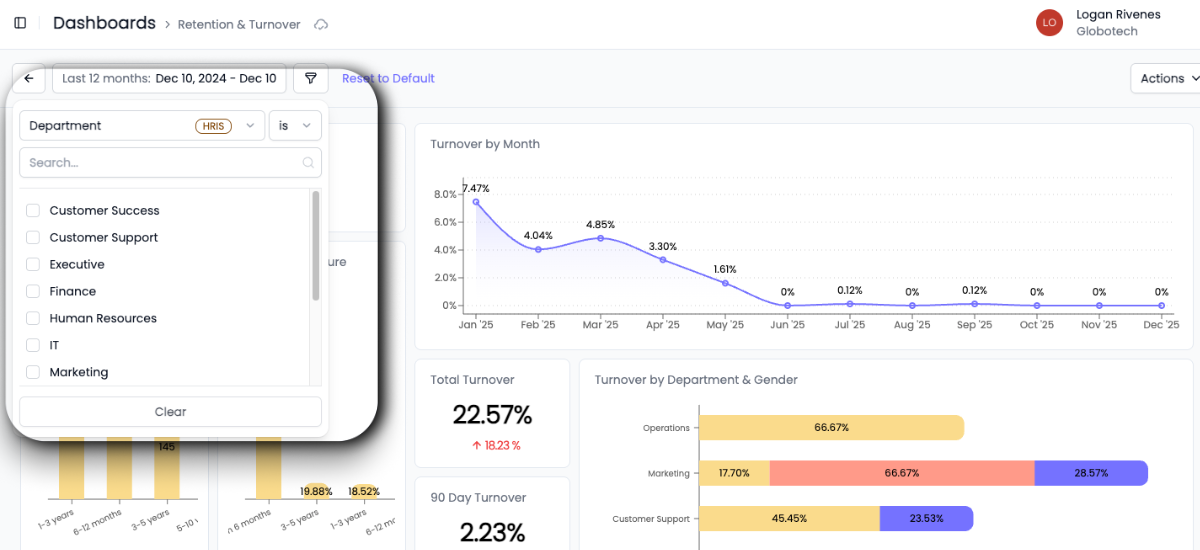 Schedule a demo
Clean data, automatically validated and ready for your next board meeting
Structure and save your dashboards for recurring use, or screenshot and drop into a slide with one click.
HRBench makes it easy to build reporting that’s not just insightful, but presentation-ready.
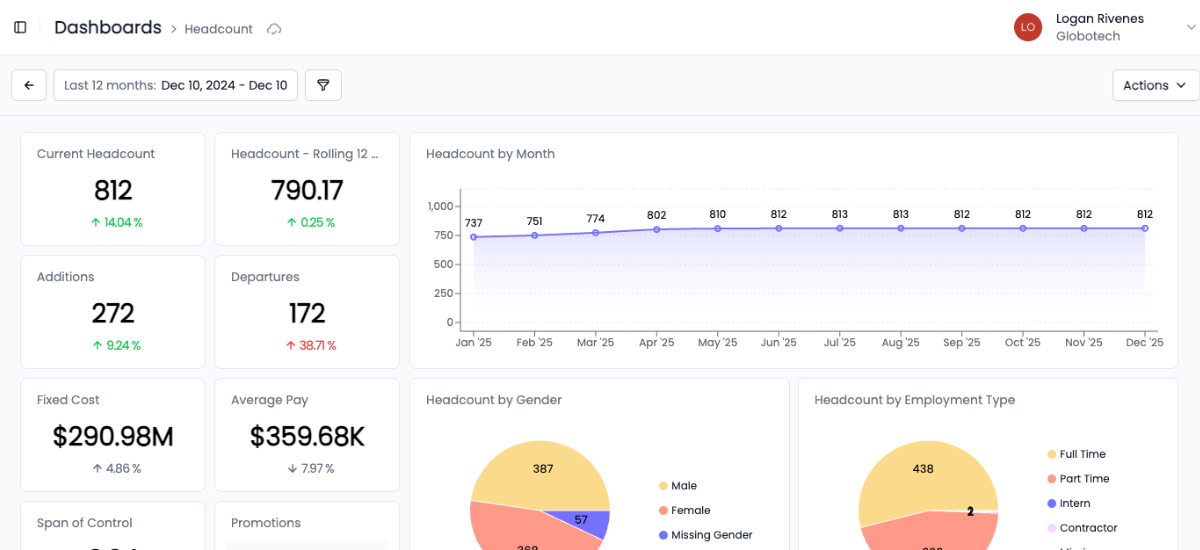 Schedule a demo
From tactical tracking to strategic impact, HRBench is built for people teams
Most HR teams spend weeks pulling reports, cleaning spreadsheets, and stitching together dashboards across systems.
HRBench Analytics eliminates the manual work—so you can focus on driving action.
The conversations have changed from, ‘Here’s the data,’ to ‘I see the trend and the root cause.
.png)
Of my vendors, HRBench is the top of my list. We held onto trailing data from our prior system and integrated it seamlessly. Our team had to do zero lift.

“HRBench gave us confidence. We weren’t spending hours building dashboards anymore. We could focus on strategy, not reporting.”
.jpg)
Frequently Asked Questions
If you don't find the information you're looking for, please don't hesitate to contact us directly, and our team will be happy to assist you.
You can add any of HRBench's 45+ core metrics to your dashboards, including turnover, span of control, net hire ratio, retention rate, and revenue per employee. You can also add engagement scores and survey comments, open requisitions and role gaps, predictive forecasts and trends, and benchmark comparisons against peer organizations. If it's in HRBench, it can go on a dashboard.
Yes. HRBench dashboards pull live data from your connected HRIS, ATS, and engagement survey systems. There are no downloads or manual refreshes required. When you open a dashboard, it always reflects the latest numbers from all connected sources.
Yes. HRBench lets you build audience-specific dashboards tailored to what each stakeholder needs to see. You can create separate views for executives who want trends and forecasts, managers who need team-level metrics, HRBPs tracking engagement and turnover, and finance partners focused on cost and headcount.
Yes. HRBench dashboards are designed to be board-ready. You can export them to PDF or PowerPoint, or screenshot individual views and drop them into slides. You can also save dashboard configurations for recurring use so your board reporting is consistent meeting to meeting.
Power BI and Tableau require significant setup, technical expertise, and ongoing maintenance to build HR dashboards. HRBench dashboards are purpose-built for HR teams and come pre-connected to your workforce data. Metrics populate automatically, benchmarks are included, and dashboards can be shared with stakeholders without additional licensing, training, or analyst support.
Yes. HRBench dashboards support forecast-ready widgets that display predictive metrics like turnover forecasts, headcount projections, and cost forecasts alongside your current-state data. This gives you a forward-looking view of your workforce on the same dashboard where you track today's performance.
Schedule a 20-minute demo
See how HRBench transforms your HR data into insights, instant visibility, benchmarking, and data confidence.
- A walkthrough of HRBench's intuitive dashboards and analytics tools.
- Insights into integrating HRBench with your existing HR systems.
- Understanding how HRBench supports data-driven HR strategies.